DIY USB-C Hub
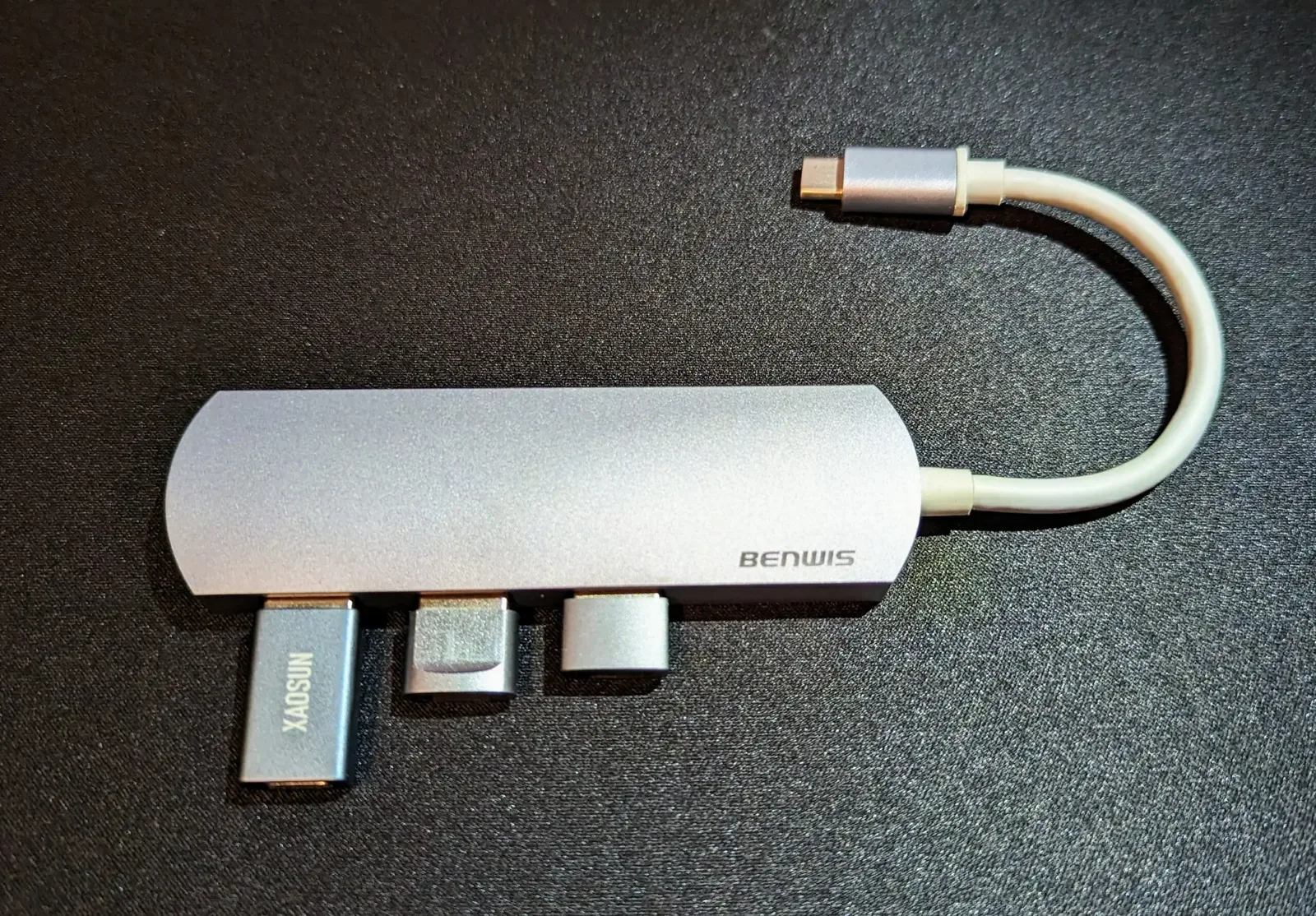
USB-C is all the rage these days. Most people welcome it; some people absolutely despise it. It’s magic for the everyday user, as it’s one cable to rule them all. It can do nearly everything! On the flip side, it is an absolute headache for engineers to deal with.
USB has been around longer than most people realize. The first specification arrived in 1996 at 12 Mbps, though it was USB 1.1 in 1998 that really drove adoption. USB 2.0 followed in 2000 with 480 Mbps, USB 3.0 in 2008 at 5 Gbps, and USB4 in 2019 at 40 Gbps. The USB-C connector itself only showed up in 2014. Nearly thirty years on, the USB Implementers Forum still maintains the standard, and it is hard to find a device that does not use it somewhere: phones, laptops, monitors, game controllers, even my power tools.
Even though USB is such a widely used standard, I find it fascinating how many products rushed to implement the USB-C standard, even though many are not certified. With everything USB-C can do, certification can be a substantial undertaking. That effort may not make sense for a product that only needs power and does not benefit from the additional features.
This is why it is difficult to find a simple USB-C hub with several USB-C downstream ports. The vast majority of USB-C accessories are adapters to USB 3, like my USB-C to USB 3.1 hub. A true USB-C to USB-C hub would require every port to conform to all the USB-C protocols and standards, which would be quite an undertaking and cost a pretty penny.
So for now, I make do with plugging a bunch of USB 3.1-to-USB-C adapters into my USB-C-to-USB 3.1 hub to make a simple USB-C hub. It works pretty well for my needs; just don’t expect all USB-C features to work with a configuration like this.